
Complete Anatomy
3D4Medical from ElsevierMedical
3.4442.00 Reviews
- Version
- 12.0.0
- Installs
- 1.00M
- Age Rating
- Everyone
Screenshots
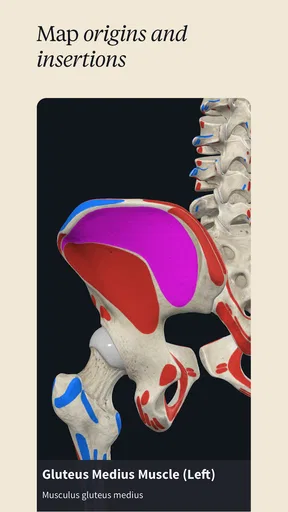
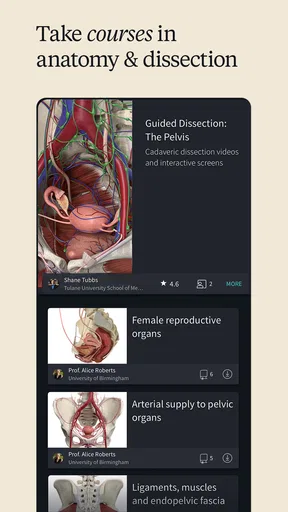

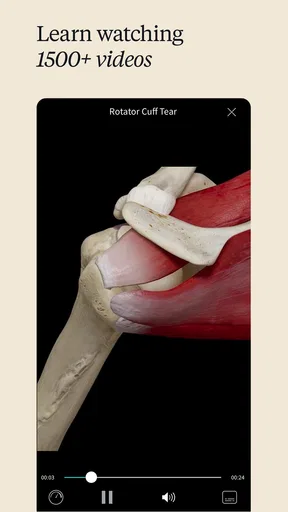
Our Review of Complete Anatomy
 Analysis by Appyee
I think Complete Anatomy works best when you want to understand how a body structure sits in relation to everything around it, rather than just memorize a label. Its central strength is the freedom to inspect anatomy spatially: rotate a model, zoom in, and reveal underlying layers. That makes it more useful than a flat diagram when a muscle, bone, or organ is hard to picture from a single angle. It is also a demanding kind of reference, though. The wealth of detail rewards focused exploration but can feel like too much if you only need a quick, simple answer.
That distinction matters when choosing a medical learning app. A static atlas is often faster for checking one familiar structure, and a textbook gives you a more deliberate path through a topic. Here, I’d open the model when I need to build a mental map: where something lies, what is beside it, and how its position changes as I look from another direction. The app is free to install, but some content is offered through in-app purchases, so I would treat it as a useful starting point rather than assume every course or resource is included at no cost.
A 3D view is most valuable when relationships are hard to imagine
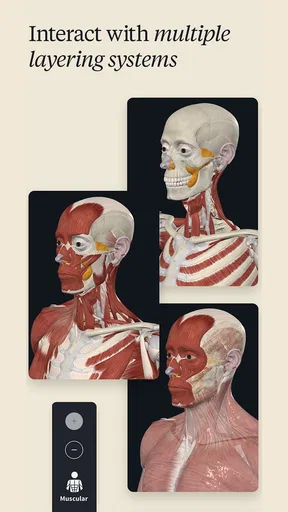
A practical way to use the model is to begin with a question, not with the whole body. If I were revising a region, I’d isolate the structure I’m studying, rotate it until its shape makes sense, and then bring nearby layers into view. The key learning benefit is not just seeing more detail; it is comparing structures while keeping their positions in mind. That can help a learner who knows separate terms on a page but struggles to connect them into a coherent three-dimensional picture.
This approach also suits visual work. An art student sketching a shoulder, for example, can use an anatomy model to check how forms overlap instead of relying on a front-facing reference alone. A teacher might use the same kind of view to explain why a structure is difficult to see from one angle. These are better uses than opening the app for casual browsing without a goal: a specific question keeps the many available details from becoming a distraction.
What I’d check before relying on it for study
I would not make an interactive atlas my only source for an exam or a clinical decision. A model can clarify shape and location, but learning also requires context, terminology, and a reliable study plan. The strongest workflow is to use it alongside course notes or a textbook: read the explanation, inspect the relevant anatomy, then return to the written material and check whether the spatial view has clarified the point. For clinical questions, a learning app is not a substitute for professional guidance.
There is a small but important trade-off in the freedom to explore. It is easy to spend time rotating and revealing layers without retaining much, especially when you have not decided what you are trying to learn. I’d keep each session narrow: choose a region or system, name the question you want answered, and stop when you can explain the relationship in your own words. That turns the model from an impressive visual display into a study aid.
Where it fits among anatomy resources
Compared with a conventional anatomy book or a simple diagram app, this is the more hands-on choice. The advantage is being able to inspect a structure from different viewpoints; the disadvantage is that interaction can be slower than looking up a label on a page, and a 3D view does not automatically provide the concise explanation a learner may want. I would reach for a book when I need a structured chapter, and for a quick reference when I already know the term. I would choose this app when spatial understanding is the part I am missing.
Complete Anatomy comes from 3D4Medical from Elsevier and sits in the medical-learning space, with a 3.4 average from around 11,000 ratings and more than a million installs. It is rated for everyone, but that broad age label does not mean the interface or anatomical depth is designed as a child’s introduction. The current version is 11.7.1, and the app supports devices running Android 7.0 or later. Those details make it easier to judge whether it fits your device and expectations before building it into a study routine.
A Deep Dive into the Human Body
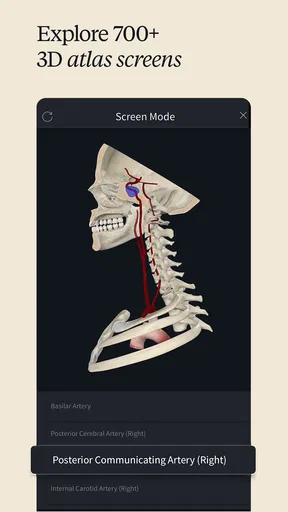
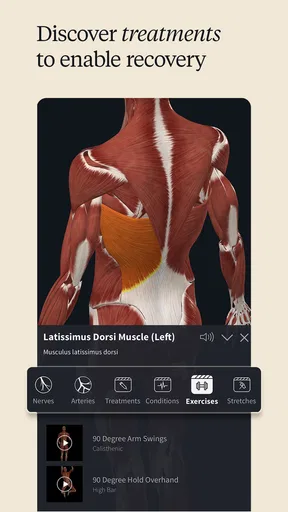
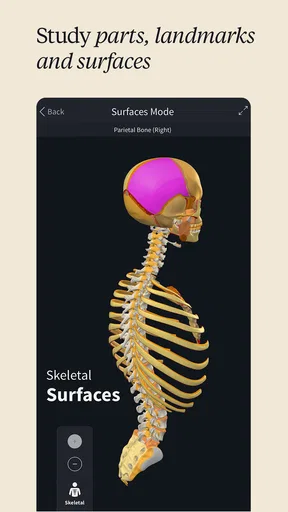
The first thing that struck me about Complete Anatomy is its stunning 3D models. Seriously, the detail here is absolutely mind-blowing. You can rotate, zoom, and even peel back layers to explore muscles, bones, and organs. It’s like having a mini anatomy lab in your pocket. You can even customize your view, highlighting specific areas or systems you’re interested in. The level of detail is perfect for deep learning or just satisfying your own curiosity.
User Experience
Let’s talk about the user interface for a second. It’s sleek, intuitive, and incredibly user-friendly. Even if you’re not tech-savvy, you’ll find navigating through the app a breeze. The developers have done an excellent job in making sure everything is accessible without being overwhelming. Plus, the app runs smoothly, with no lag or glitches, which is super important when you’re trying to focus on learning.
Features That Stand Out
One of the standout features for me has to be the interactive lectures. These are like having a professor in your pocket, guiding you through different systems and structures. Whether it’s the cardiovascular system or the intricacies of the brain, you’ll get a guided tour full of valuable insights. Plus, the app constantly updates, so you’re always getting the latest and greatest content.
Another cool feature is the ability to create your own notes and quizzes. You can test yourself or even challenge your friends. This makes learning not only effective but also fun. It’s a great way to reinforce what you’ve learned and ensure that the information sticks.
Who’s It For?
Now, you might be wondering if this app is right for you. In my opinion, absolutely! Whether you’re a medical student, a healthcare professional, or just someone who’s passionate about learning, Complete Anatomy offers something for everyone. It’s an excellent tool for anyone looking to deepen their understanding of the human body.
Even if you’re not in the medical field, the app can be an incredible resource for educators, artists, or anyone who needs a visual reference for the human anatomy. It’s that versatile.
Making a session count
For a realistic study session, I’d use it after class rather than trying to learn an entire system from scratch in one sitting. Suppose a lecture leaves me unsure how a group of muscles relates to nearby bones. I can open that region, strip back the view gradually, and rotate it until the attachments and neighboring structures are easier to understand. Then I can write a short note in my own words and use a quiz to check recall later. The sequence matters: inspect, explain, test. If I only browse, the memorable visuals may not translate into lasting knowledge.
Notes and quizzes are most useful when they capture a specific confusion or distinction, not when they become a second set of copied textbook pages. I’d keep notes brief, phrased as questions I can answer later, and use quizzes to identify what still needs work. Challenging a friend may add motivation, but it is not a replacement for checking the underlying material. This is a small workflow choice, yet it makes the app feel less like an interactive display and more like part of a repeatable study routine.
When the app may feel like too much
For someone who wants a simple picture of one body part, the depth can be unnecessary. A basic diagram or a short explanation may answer that question faster, without the time spent navigating a detailed model. Beginners may also find that seeing many structures at once makes it harder to know what matters. I would start with a familiar topic, keep the view focused, and avoid treating every visible detail as something that must be memorized.
There is also a practical distinction between access and value. The app is free, while in-app purchases range from $0.99 to $119.99 per item. That broad range makes it sensible to explore the free experience first and decide what you actually need before buying anything. A student following a course may value guided learning resources differently from a curious user who only wants occasional visual reference. I would not pay for additional material simply because it is available; I’d first identify a clear gap in my learning that it would fill.
The app’s medical focus is a strength for learners who want anatomical detail, but it is not a general health adviser. If I were trying to understand a symptom, make a diagnosis, or decide on treatment, I would turn to a qualified healthcare professional instead. A three-dimensional view can support learning about the body, but it cannot interpret an individual person’s health situation. That boundary is especially important because a polished model can look authoritative even when the question is outside the app’s purpose.
Who should make room for it
I’d recommend it most to medical and health-science students who already have a curriculum and need a visual companion, as well as educators who explain spatial relationships. It may also suit artists and anatomy enthusiasts willing to explore carefully. People who prefer short, linear lessons, need a quick label lookup, or do not enjoy navigating detailed visuals may be happier with a book, a concise reference, or a simpler diagram tool. The right choice depends less on how impressive the model looks and more on whether three-dimensional exploration solves a problem you actually have.
Before settling into regular use, I’d check that the device meets the Android 7.0 minimum and think about how I plan to use the app: a quick occasional reference, or a recurring part of study. The free starting point lowers the barrier to trying it, while optional purchases mean the longer-term cost depends on what you choose to access. The 3.4 average across around 11,000 ratings is a useful reminder that it will not be a perfect fit for everyone; I’d judge it by whether the model and learning approach suit my own needs rather than by expecting universal approval.
Wrapping It Up
In conclusion, Complete Anatomy is a must-have app for anyone interested in exploring the human body in detail. With its impressive 3D models, interactive features, and user-friendly interface, it makes learning anatomy an engaging experience. Whether you’re studying for an exam, teaching a class, or just feeding your curiosity, this app has got you covered. So, why not give it a try and see the human body like never before?
Ready to embark on your own anatomy adventure? You can download Complete Anatomy from the App Store or Google Play and start exploring today!
For me, the lasting value is not that it replaces a book, a teacher, or clinical expertise; it is that it can make anatomy easier to picture when words and flat illustrations are not enough. If that is the hurdle you face, the interactive model, lectures, notes, and quizzes give you several ways to work through it. If you mainly want a quick fact or a straightforward introduction, a lighter resource will probably be more comfortable. I’d try the free app with one focused question and see whether its way of showing the body genuinely improves how you understand it.
Verdict
Strengths of Complete Anatomy
- Highly detailed 3D anatomical models.
- User-friendly interface for easy navigation.
- Regular updates with new content.
- Cross-platform availability enhances accessibility.
- Advanced tools for medical professionals.
Limitations of Complete Anatomy
- Requires a stable internet connection.
- Some advanced features need a subscription.
- Can be overwhelming for beginners.
- Large app size may need significant storage.
- Performance may lag on older devices.
Other Releases by 3D4Medical from Elsevier
View All
Essential Anatomy 5
Medical2.1
Similar Picks in This Category
View All
WebMD: Symptom Checker
WebMD, LLC4.1

Microphone Amplifier
DOSA Apps4.2

Anatomy Learning - 3D Anatomy
3D Medical OU4.5

Period Tracker and Calendar
SimpleInnovation4.9

GoodRx: Prescription Coupons
GoodRx4.8

CVS Health
CVS Pharmacy4.5
Frequently Asked Questions
What are the main features of Complete Anatomy?
Complete Anatomy offers an extensive 3D anatomical model of the human body, with over 17,000 interactive structures. It includes detailed representations of muscles, bones, nerves, and more. Users can explore the body in layers, take quizzes, and even create and share their own content. It's a valuable tool for medical students and professionals alike.
Is Complete Anatomy available on both Android and iOS devices?
Yes, Complete Anatomy is available for both Android and iOS platforms. It can be downloaded from the Google Play Store and Apple App Store. The app is optimized for both tablets and smartphones, providing a seamless user experience across devices. However, some features might be better suited for larger screens.
Does Complete Anatomy require an internet connection to function?
Complete Anatomy primarily functions offline, allowing users to access its core features without an internet connection. However, some features like cloud storage, content sharing, and updates require online access. To fully utilize all the app's capabilities, occasional internet access is recommended.
Are there any subscription fees associated with Complete Anatomy?
Complete Anatomy offers a free version with basic features. However, to access premium content such as advanced 3D models, quizzes, and lectures, a subscription is required. Users can choose between monthly or annual plans. The subscription provides additional tools and updates that enhance the learning experience.
How user-friendly is Complete Anatomy for beginners?
Complete Anatomy is designed with an intuitive interface that is user-friendly for beginners. The app includes tutorials and a help section to guide new users. While it offers advanced features for in-depth exploration, the basic navigation and interactive tools are straightforward, making it accessible to users at all levels.
